What is ecommerce speed optimization?
Ecommerce speed optimization is engineering work that makes every step of the shopping journey faster, from the first category page to the final checkout click. It focuses on what real shoppers experience on real phones, not only on a lab score.
Slow stores lose shoppers before they see a product, and they often pay more for ads because landing page experience suffers. Custom Ecommerce has spent 15+ years in commerce engineering, and we treat speed as a product feature that is designed, measured and protected, not a one-time plugin fix.
What we measure
- Largest Contentful Paint (LCP): how fast the main content, usually the hero or product image, appears. Target 2.5 seconds or less.
- Interaction to Next Paint (INP): how quickly the page responds to taps, filters and add-to-cart clicks. Target 200 milliseconds or less.
- Cumulative Layout Shift (CLS): how much the layout jumps while loading. Target 0.1 or less.
- Time to First Byte (TTFB): how quickly the server responds, which affects everything downstream.
Why is my ecommerce site slow?
Most slow stores suffer from the same handful of causes: too many third-party scripts, oversized images, heavy themes and slow server responses on uncached pages. The good news is that each is fixable once it is measured properly.
| Common cause | Metric affected | Typical fix |
|---|---|---|
| Accumulated apps, pixels and chat widgets | INP, LCP | Remove unused apps, defer or server-side tag, load widgets on interaction |
| Uncompressed or oversized images | LCP | Modern formats (WebP, AVIF), responsive sizes, CDN delivery, preload hero image |
| Render-blocking CSS and JavaScript | LCP | Critical CSS inlining, code splitting, removing unused libraries |
| Images and banners without set dimensions | CLS | Reserved space, font-display rules, stable placeholders |
| Slow database queries or no full-page cache | TTFB, LCP | Query tuning, Redis or Varnish caching, edge caching |
| Heavy filters and product grids | INP | Lighter event handlers, pagination strategy, faster search APIs |
Which pages matter most for speed?
Not every page deserves equal effort. We prioritize the templates that carry the most revenue and paid traffic: product pages that receive ad clicks, category pages where shoppers filter and compare, and the cart and checkout steps where any delay creates doubt.
Mobile comes first in almost every audit, because that is where most ecommerce sessions happen and where weaker processors expose heavy JavaScript. A page that feels fine on a new laptop can be sluggish on a mid-range phone over a cellular connection, and that phone is the experience Core Web Vitals field data reflects.
We also look at speed during traffic spikes. A store that passes on a quiet Tuesday can still slow down during a product drop or holiday sale if caching and server capacity are not planned for peak demand.
Our ecommerce speed optimization process
We start with field data, fix the highest-impact problems first and verify every change against real-user metrics. Each phase has a fixed-price milestone so you know the scope before work begins.
- Performance audit: review Chrome UX Report and Search Console Core Web Vitals data, then profile key templates (home, category, product, cart, checkout) on throttled mobile devices.
- Script and app inventory: list every app, tag and third-party script, what it costs in load time and who owns it.
- Prioritized fix plan: rank issues by revenue impact and effort, so the quickest wins ship first.
- Implementation: theme and code refactoring, image pipeline, caching, script deferral and server tuning.
- Verification: lab tests on every release plus 28-day field data tracking to confirm Core Web Vitals pass.
- Guardrails: performance budgets in your deployment pipeline and alerts when a new app or release slows pages down.
Shopify speed optimization, WooCommerce speed and Magento performance
Every platform has its own bottlenecks, so ecommerce speed optimization looks different on each. We hold Shopify Plus Certified Partner, Adobe Commerce Solution Partner and BigCommerce Elite Partner status, so we know where each platform's limits are.
Shopify speed optimization
On Shopify, hosting and checkout are managed, so speed work concentrates on the theme and apps. We remove leftover app code, move to Online Store 2.0 sections, lazy-load below-the-fold content, optimize Liquid loops on large collections and consolidate tracking through server-side tagging.
WooCommerce speed
WooCommerce speed depends heavily on hosting and plugins. We audit plugins, add object caching with Redis, tune database queries and autoloaded options, enable full-page caching that respects carts and logged-in users, and move to infrastructure that can handle peak traffic.
Magento and Adobe Commerce performance
Magento stores benefit from Varnish full-page caching, Elasticsearch or OpenSearch tuning, indexer and cron optimization, and slimming heavy frontend bundles. When the legacy frontend is the bottleneck, a modern frontend may be the better investment than more patching.
When should you consider a headless or PWA rebuild for speed?
Consider a rebuild when the theme or frontend architecture itself is the bottleneck, and optimization is only shaving fractions off a fundamentally slow page. Headless and PWA frontends can deliver near-instant navigation but require a larger investment.
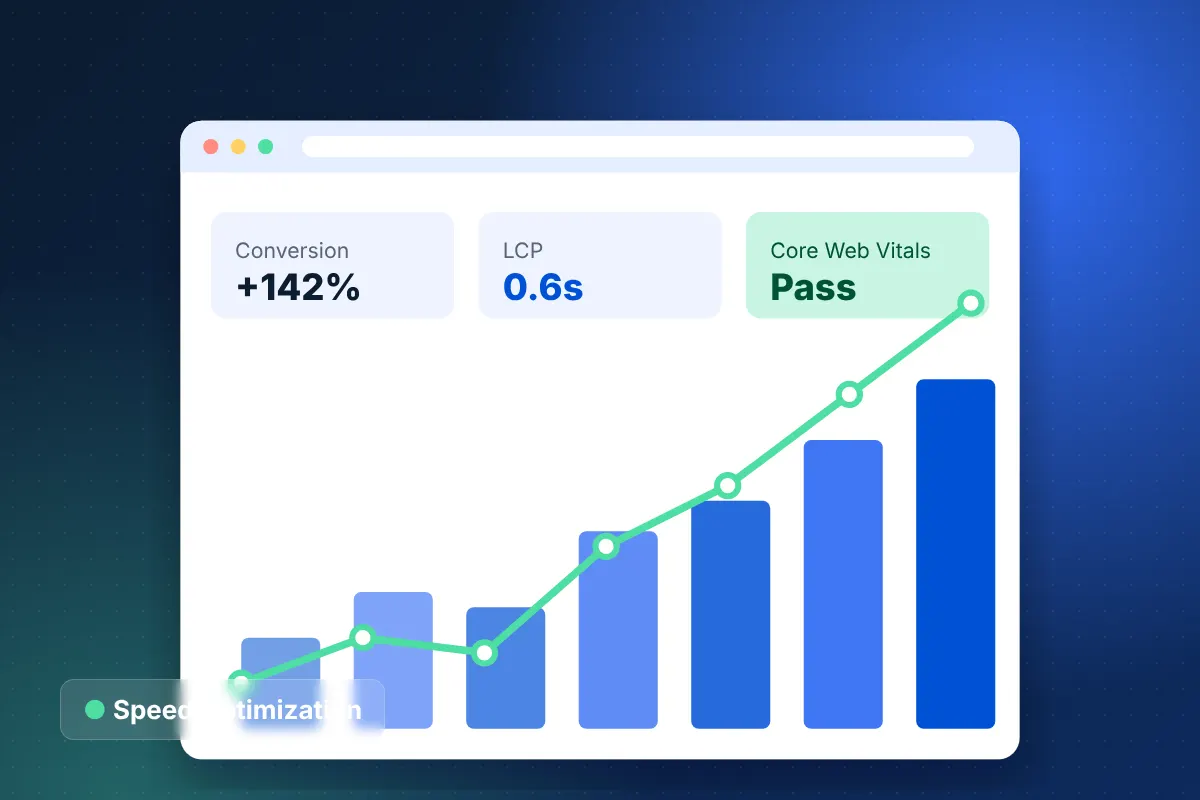
A progressive web app ecommerce storefront caches the app shell and renders pages on the server, which suits mobile-heavy brands. Read what is headless commerce to understand the trade-offs. On our Magento to Shopify Plus migration case study, a headless Next.js frontend achieved a 0.6s average page load and a 142% increase in mobile conversion rate.
Infrastructure matters too. When hosting is the constraint, our ecommerce hosting AWS team designs autoscaling, CDN and caching layers following AWS Well-Architected practices.
How much does ecommerce speed optimization cost?
Ecommerce speed optimization is scoped after a free strategy call and a quick look at your field data. Focused optimization projects start around our $15,000 minimum engagement, while headless or PWA rebuilds sit in our larger project bands of $25,000 to $60,000 and $60,000 to $150,000+.
Cost depends on:
- Platform and how customized the theme or frontend is.
- Number of templates and storefronts or regions involved.
- Volume of third-party apps and tags, and who needs to sign off on removing them.
- Whether hosting or database changes are in scope.
- Whether ongoing monitoring and performance budgets are included.
For broader planning, try our ecommerce website cost calculator.
Why choose our speed optimization team
We have delivered 350+ ecommerce projects across 24+ verticals and keep a 98% client retention rate, partly because we stay on after launch to keep stores fast. Our Houston, Texas engineers work with brands across the US and internationally.
Speed tends to decay as marketing adds tools and new features ship. Our support SLAs include 24/7 monitoring and a 15-minute critical response, and performance budgets catch regressions before customers do. We make no promises about search rankings, but faster pages remove a technical barrier for both shoppers and crawlers.
Get a free ecommerce speed optimization estimate
If your store fails Core Web Vitals or simply feels sluggish on mobile, ecommerce speed optimization is one of the most direct ways to improve the experience for every visitor.
Book a free 30-minute strategy call and we will review your Core Web Vitals data, highlight the biggest bottlenecks and send a free project estimate. We reply within 24 hours.